Proactive Self Healing
Autonomous remediation system that proactively monitors and fixes endpoint issues in the background. Continuously monitors device health and automatically executes corrective actions without user intervention.
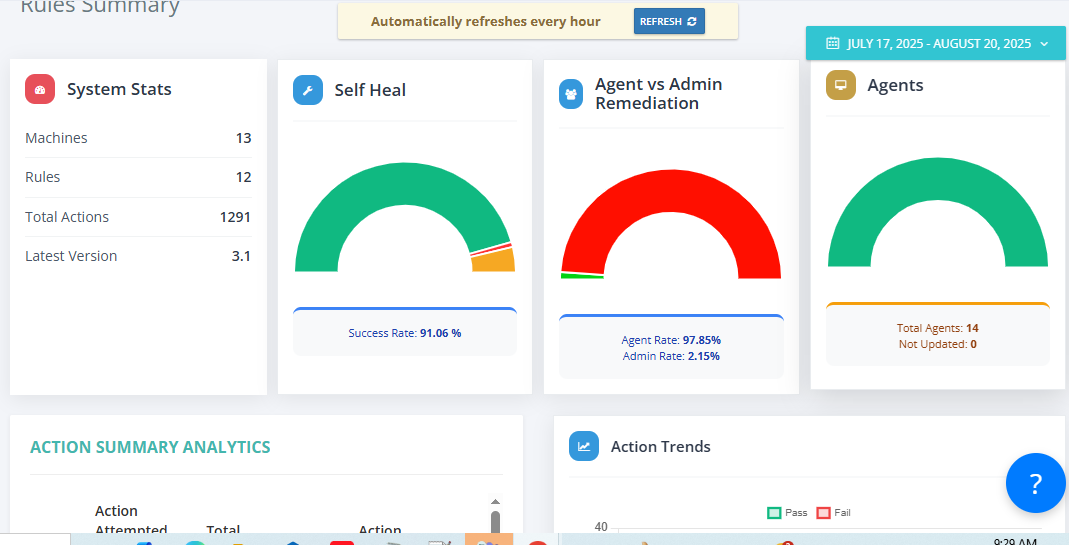
Monitoring
Beyond Manual Fixes. Built for Autonomous Healing.
Monitor endpoints seamlessly, ensure health automatically, and eliminate manual IT intervention with autonomous healing. don’t need to chase.
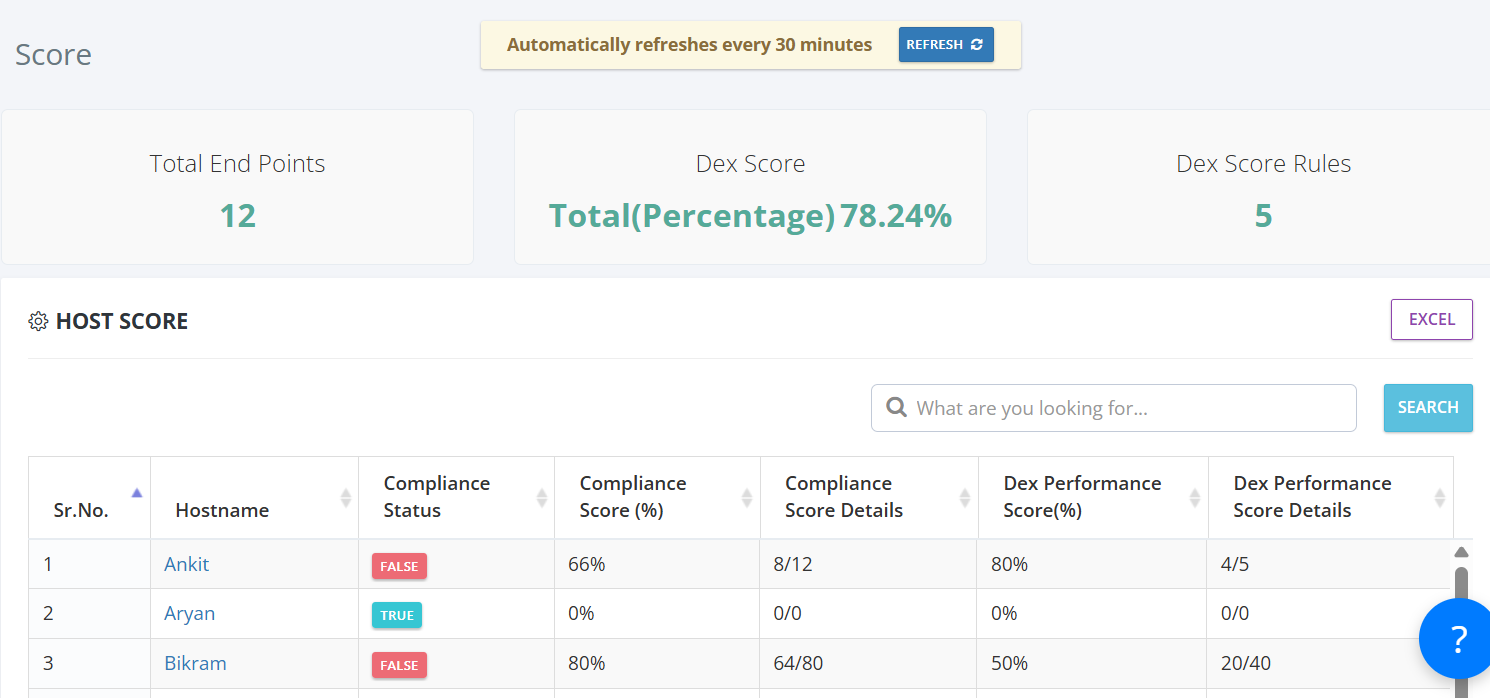
Real-Time Health Monitoring for Proactive Detection
Monitors system and application parameters in real time to detect issues early. Automatically executes healing scripts or flows when configured thresholds are breached.
- Monitors system and application parameters in real time to detect issues early
- Automatically executes healing scripts or flows when configured thresholds are breached
- Runs silently in the background — users aren't interrupted or required to act
Autonomous Remediation for Background Healing
Healing actions can fix services, restart processes, free up disk space, reconfigure settings, and more. Supports complex multi-step remediations using no-code workflows.
- Healing actions can fix services, restart processes, free up disk space, reconfigure settings, and more
- Supports complex multi-step remediations using no-code workflows
- Built-in logic to avoid false positives and looped remediations through smart execution rules
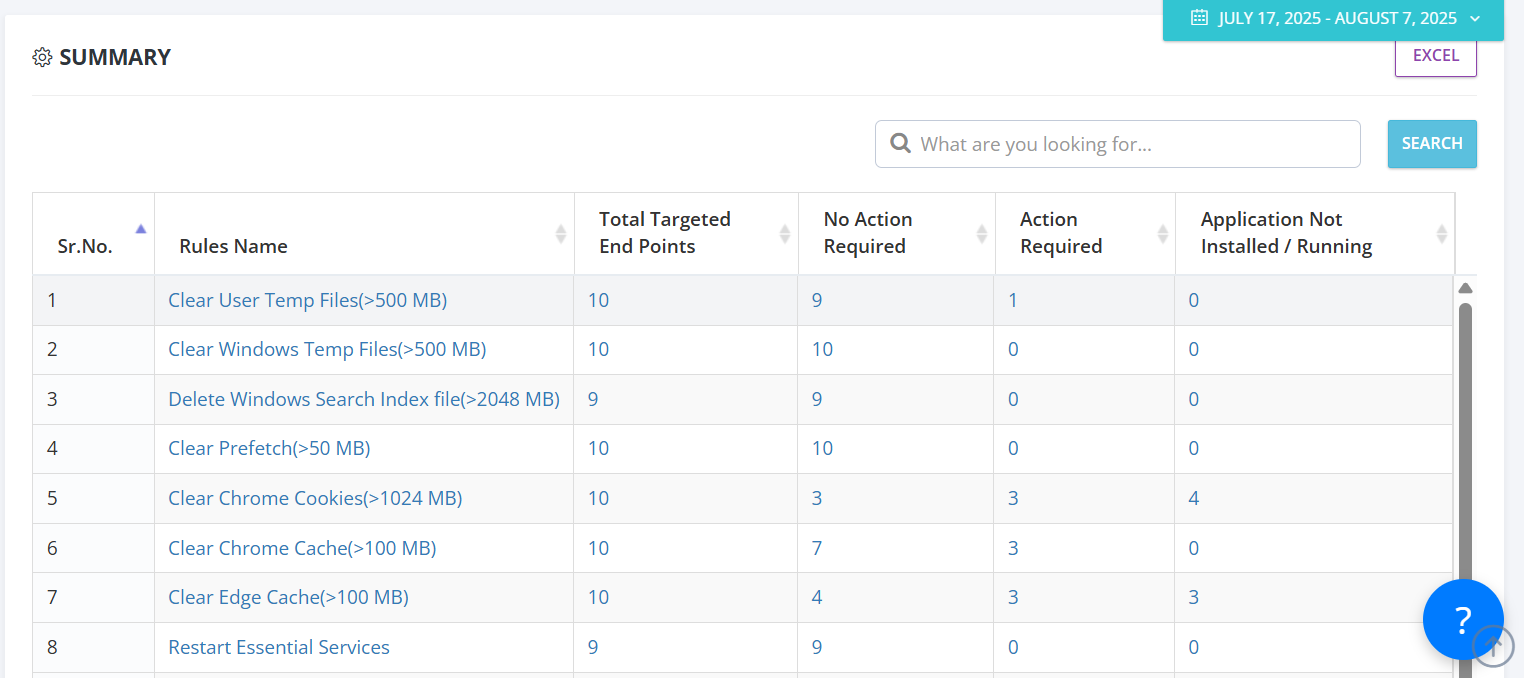
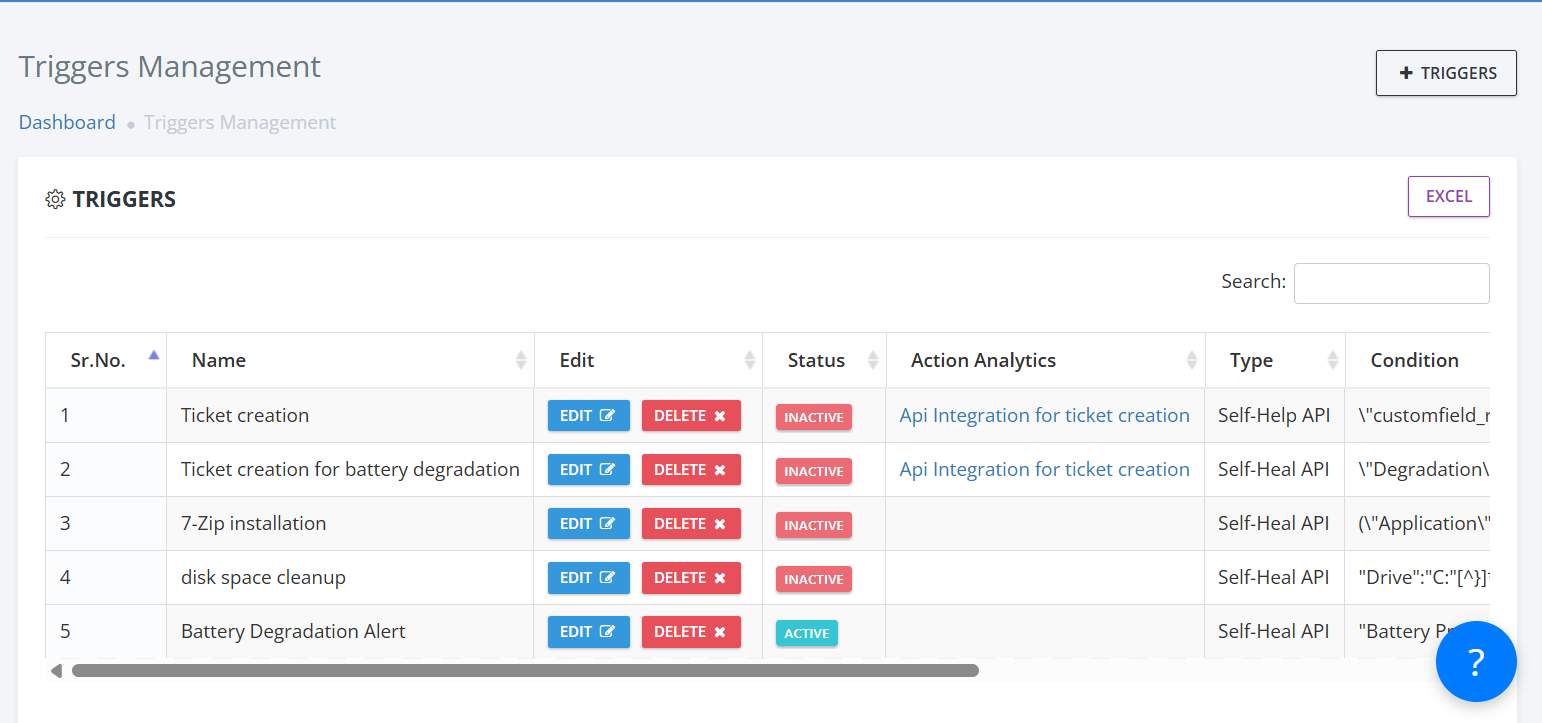
Smart Healing Logic for Intelligent Remediation
Fully autonomous healing — no user interaction or manual script runs required. Works silently in the background with smart logic to prevent repetitive or failed loops.
- Fully autonomous healing — no user interaction or manual script runs required
- Works silently in the background with smart logic to prevent repetitive or failed loops
- Integrated with other modules like Triggers and VCA for seamless issue detection and healing
No-Code Remediation Builder for Easy Deployment
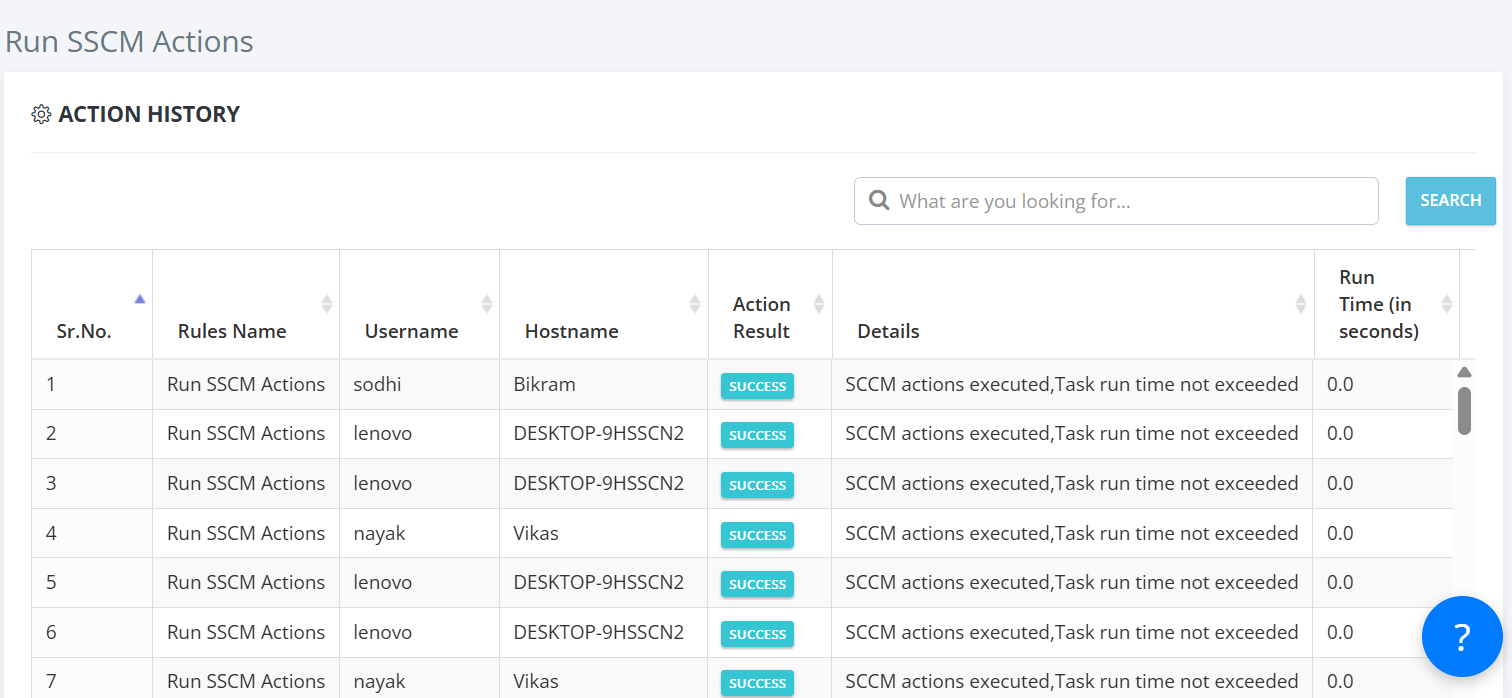
No-code remediation builder — IT teams can deploy fixes without writing scripts. Logs all remediation attempts with success/failure details available in the dashboard.
- No-code remediation builder — IT teams can deploy fixes without writing scripts
- Logs all remediation attempts with success/failure details available in the dashboard
- Fully integrated with other modules like Triggers, Campaigns, and Virtual Chat Assistant
Solving Endpoint Health's Biggest Challenges
Turning Manual Troubleshooting Challenges Into Intelligent, Autonomous Solutions
Manual Troubleshooting
Autonomous remediation eliminates manual troubleshooting and reduces fix time from hours to seconds.
System Health Issues
Proactive monitoring ensures endpoint health issues are detected and fixed instantly before users notice problems.
Slow Issue Resolution
Background healing and autonomous remediation dramatically reduce issue resolution time and IT workload.
Inconsistent Health Standards
Centralized monitoring and autonomous healing ensure consistent endpoint health and performance across all devices.
Poor Health Visibility
Real-time dashboards provide complete visibility into endpoint health status, success rates, and remediation coverage.
Self-Heal Modules
Intelligent modules that enable proactive, autonomous remediation and continuous endpoint health optimization.
Health Monitoring
Continuously monitors system, application, and service parameters to detect anomalies early.
Autonomous Remediation
Executes predefined remediation workflows automatically when thresholds or triggers are breached.
Silent Healing
Executes background remediations seamlessly without interrupting end-user experience.
Adaptive Logic
Applies smart execution rules to avoid false positives, redundant loops, and ineffective fixes.
Remediation Analytics
Captures and logs all remediation attempts, with outcome visibility in dashboards and reports.
No-Code Builder
Empowers IT teams to design and deploy remediation flows without coding or scripting skills.
Multi-Step Flows
Executes advanced, chained remediations (e.g., clear cache → restart service → verify stability).
Platform Integration
Connects seamlessly with Triggers, Campaigns, ITSM, UEM, and monitoring platforms.
Threshold Management
Initiates healing flows based on health scores, KPI thresholds, or anomaly detection signals.
Service Recovery
Automatically restores critical services (e.g., antivirus, VPN) when stopped or unresponsive.
Storage Optimization
Performs disk cleanup and log purging automatically when storage thresholds are exceeded.
Network Recovery
Restores connectivity by remapping drives, reconnecting printers, or resetting adapters.