Build Automation Workflows
Create, test, and deploy automation workflows without writing code. Using a condition-based interface, automate complex IT tasks like software installation, script execution, and system remediation.
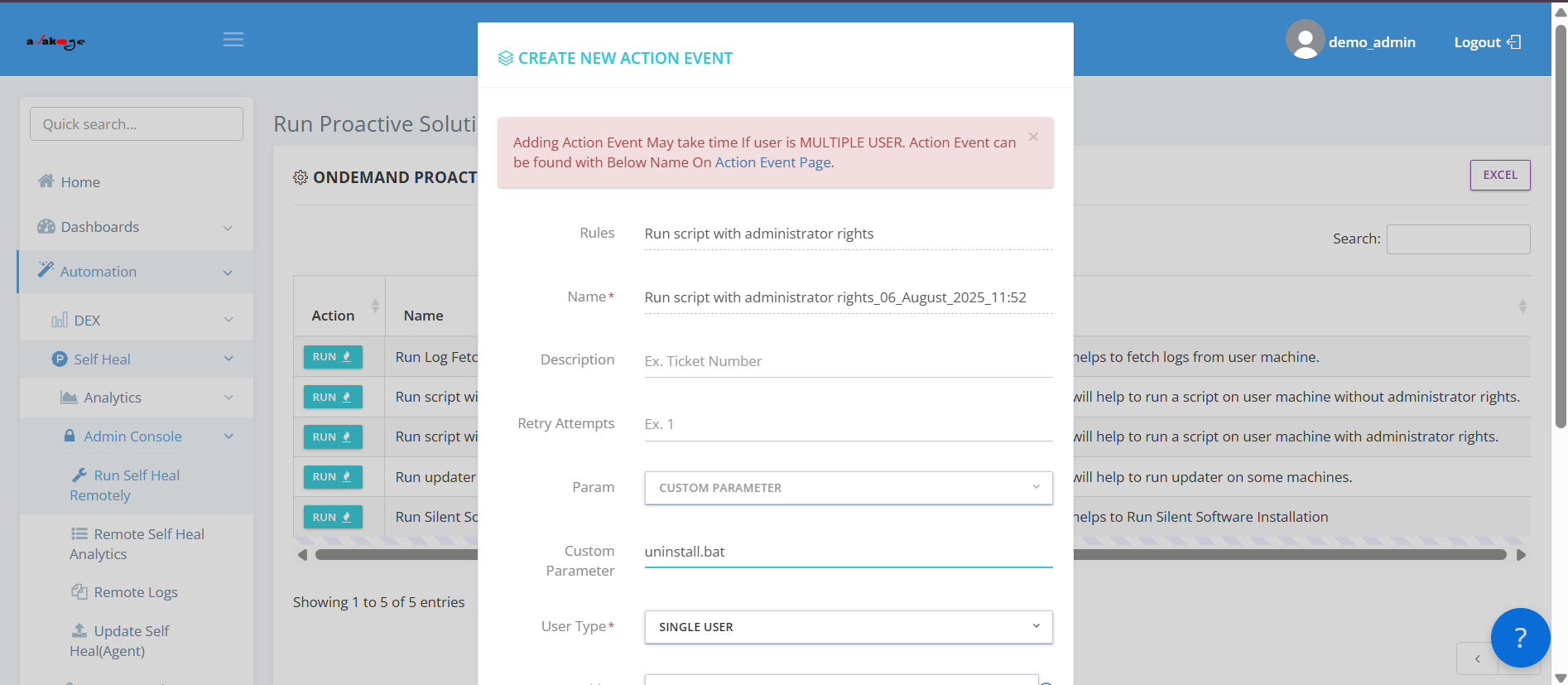
Workflow Builder
Automation
Monitoring
Beyond Manual Coding. Built for Visual Development.
Build workflows seamlessly, ensure automation automatically, and eliminate manual coding with visual development. don’t need to chase.
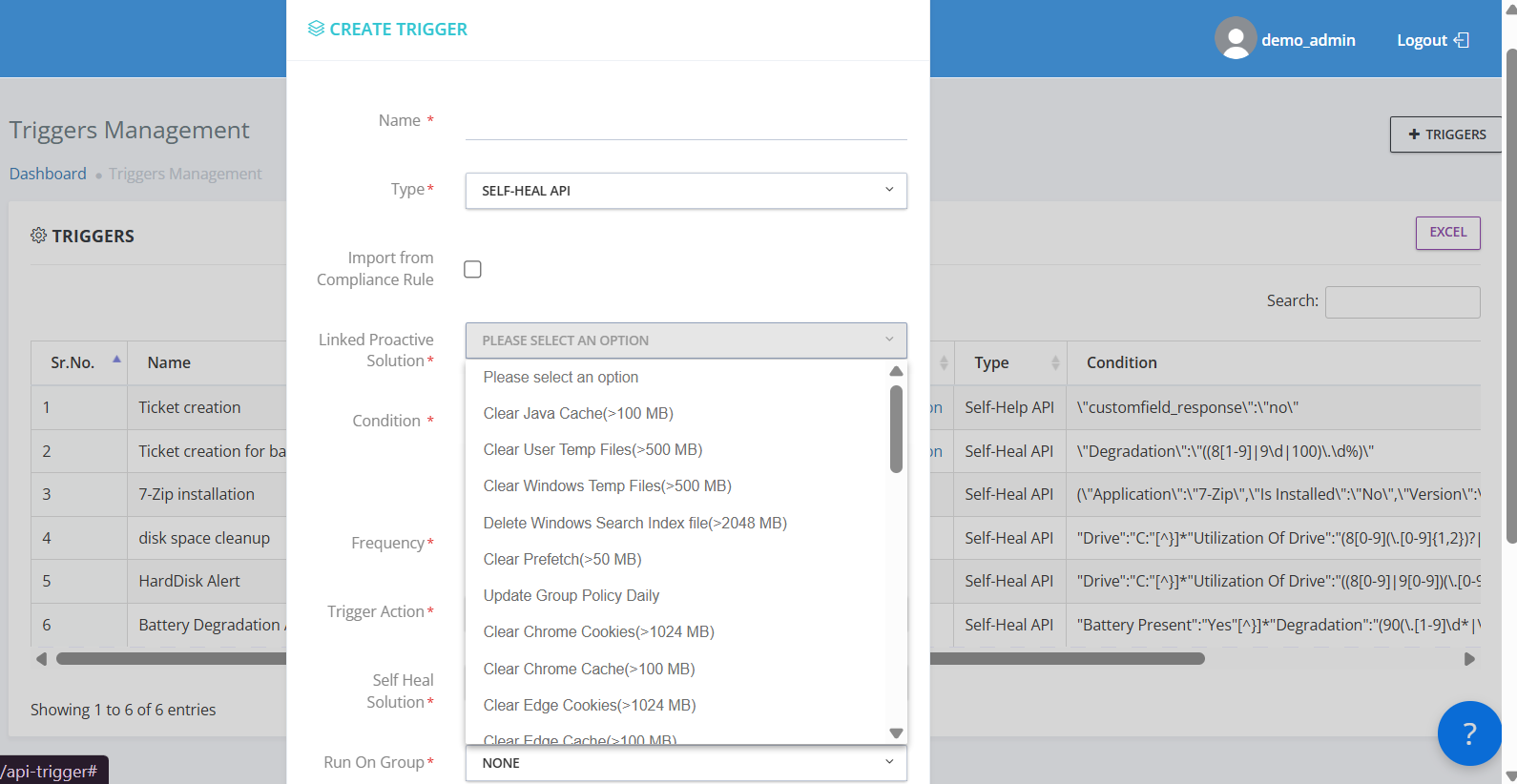
Visual Workflow Builder with Condition-Based Logic
Create custom system remediation workflows triggered by device conditions with unified workflow engine for apps, scripts, and automation — all under one visual builder.
- Visual workflow builder with condition-based, step-wise logic — no coding required
- Unified workflow engine for apps, scripts, and automation — all under one visual builder
- Create custom system remediation workflows triggered by device conditions (e.g., high CPU usage)
Trigger-Based Automation for Event-Driven Workflows
Deploy software packages to a department using a single unified workflow with hybrid deployment readiness — supports local and Intune-based flows natively.
- Trigger-based automation from events, schedules, device states, or user actions
- Hybrid deployment readiness — supports local and Intune-based flows natively
- Deploy software packages to a department using a single unified workflow
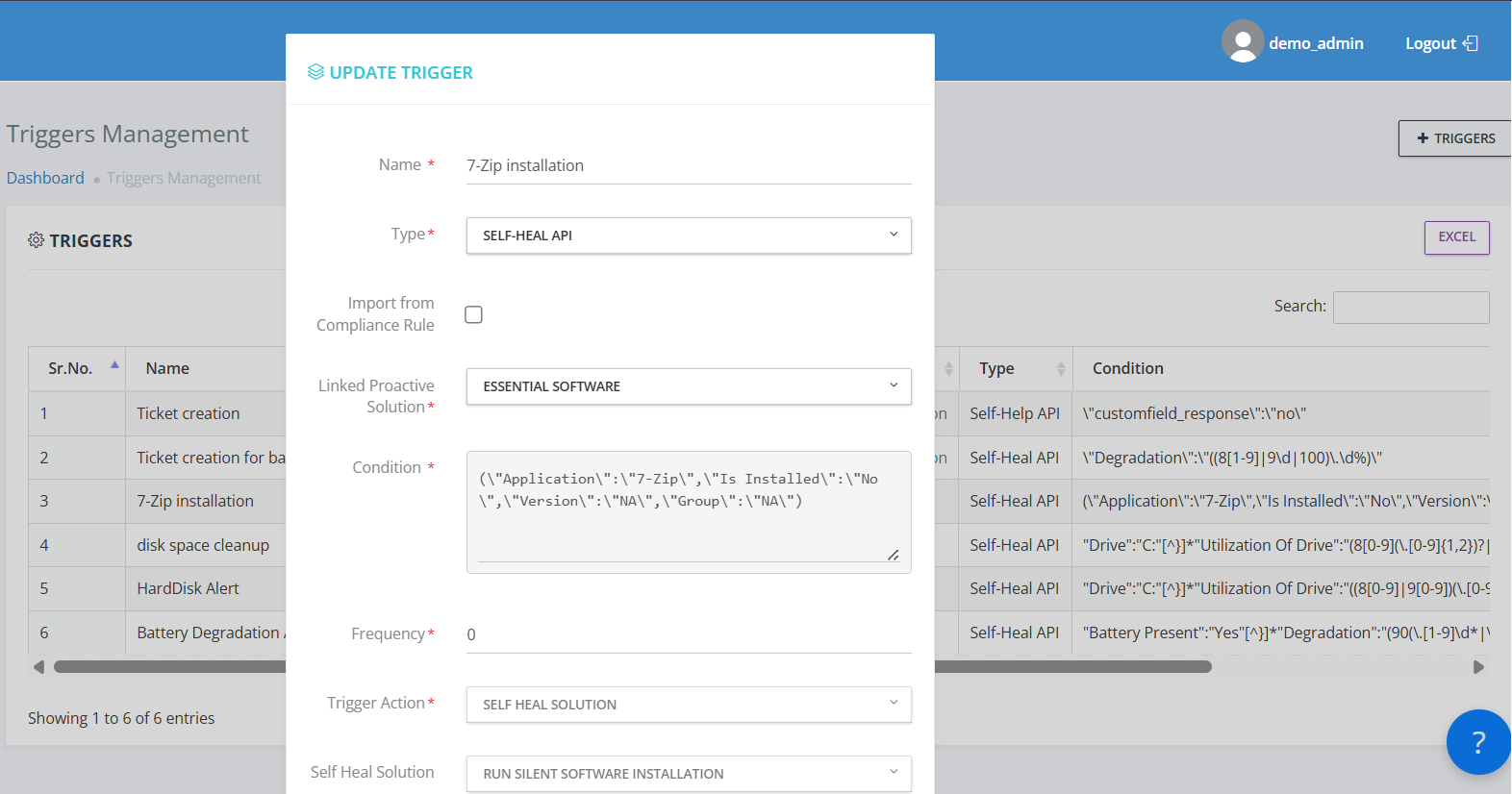
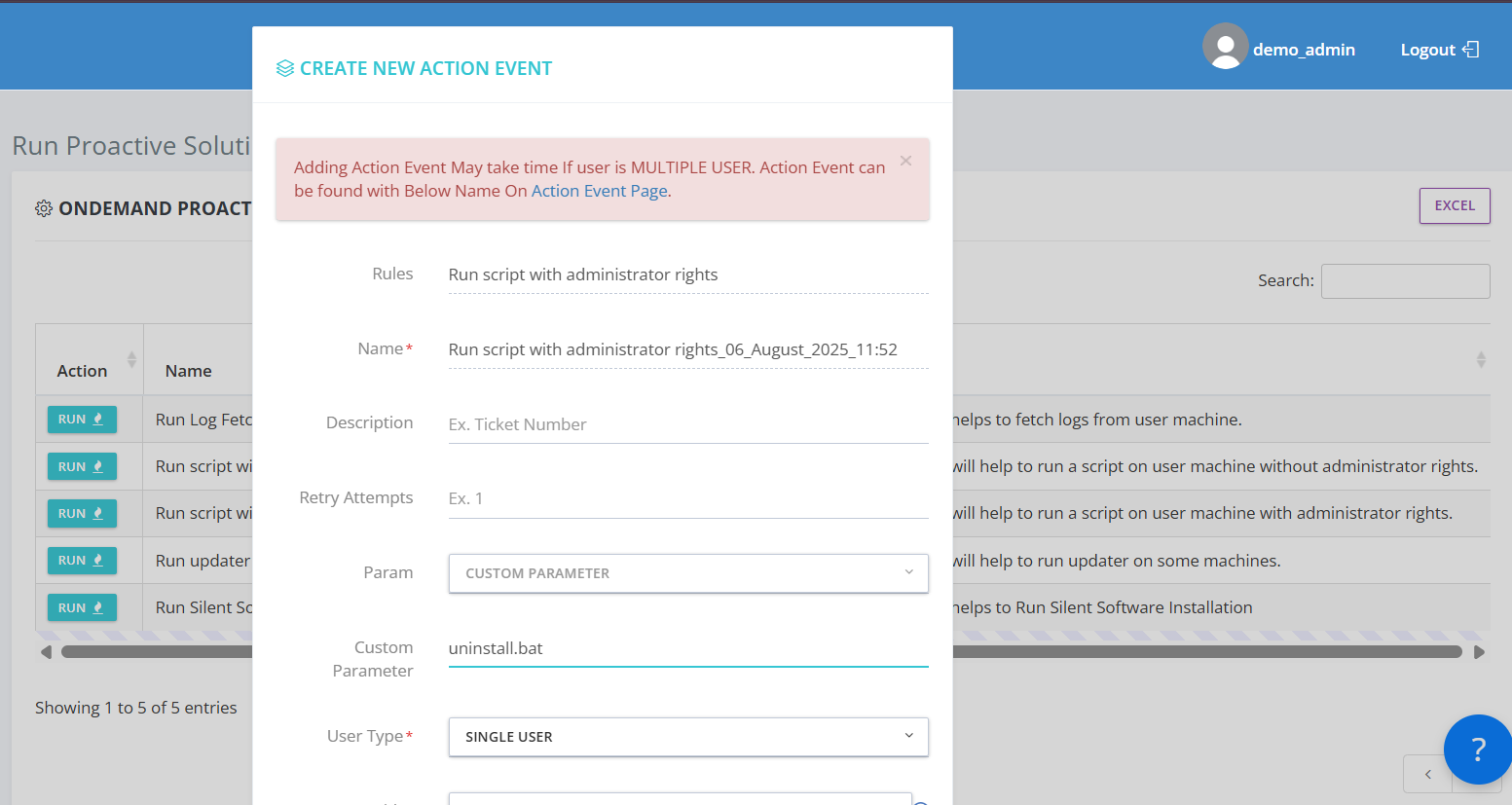
Script Execution Support for Multi-Step Automation
Build onboarding flows that execute script + software install + compliance check in sequence with cloning + simulation support — test and reuse without duplicating manual effort.
- Script execution support for PowerShell, BAT, EXE files across endpoints
- Cloning + Simulation support — test and reuse without duplicating manual effort
- Build onboarding flows that execute script + software install + compliance check in sequence
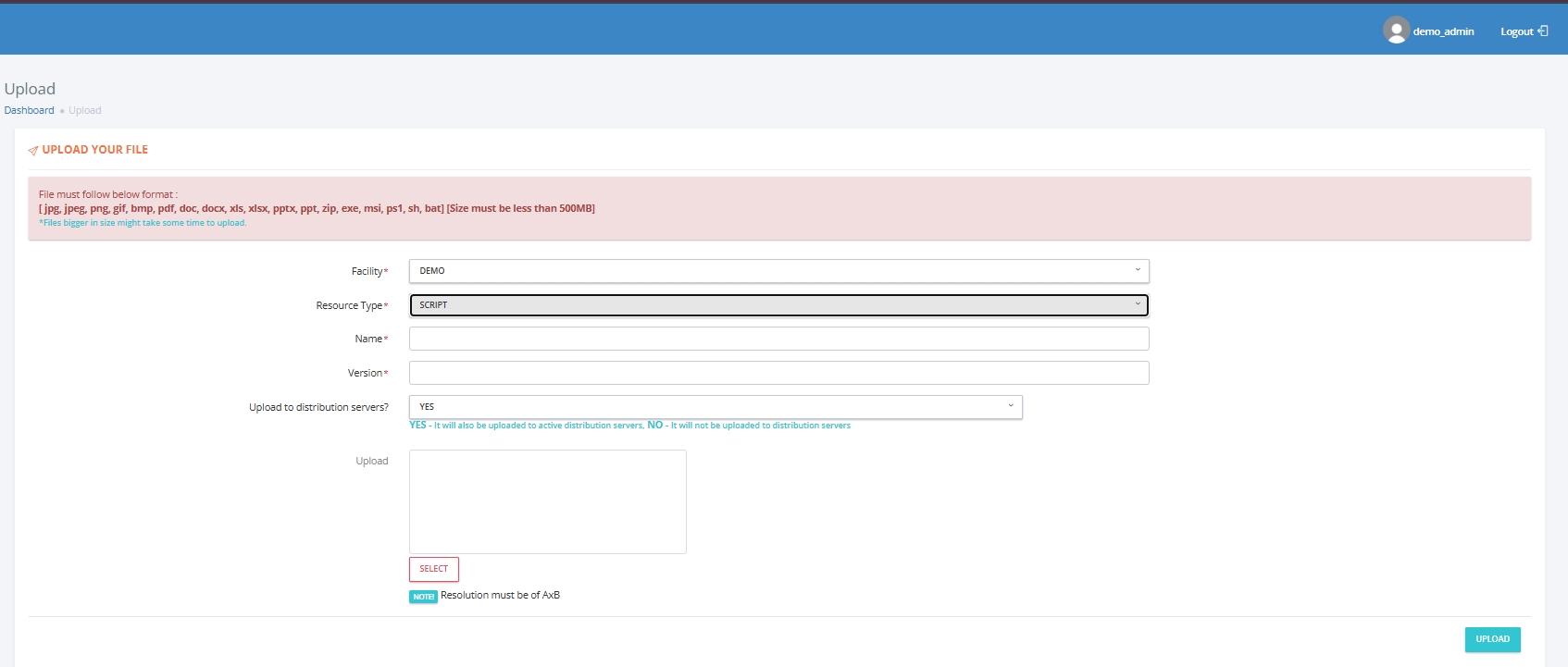
File Upload and Execution for Secure Automation
Upload files (scripts, config files, etc.) to endpoints and run them securely via automation with deep endpoint integration — supports native execution of EXE/BAT/PS1 on agent-managed devices.
- File upload and execution as part of a secure, headless automation flow
- Deep endpoint integration — supports native execution of EXE/BAT/PS1 on agent-managed devices
- Upload files (scripts, config files, etc.) to endpoints and run them securely via automation
Solving Workflow Development's Biggest Challenges
Turning Manual Coding Challenges Into Intelligent, Visual Development Solutions
Manual Workflow Development
Visual workflow builder eliminates manual coding and reduces development time from days to hours.
Complex Scripting Requirements
Visual development ensures consistent workflow standards and eliminates the need for complex scripting across teams.
Slow Development Cycles
Low-code platform and automated workflows dramatically reduce development time and IT workload.
Inconsistent Development Standards
Centralized templates and visual builders ensure consistent workflow patterns and configurations across all teams.
Poor Workflow Visibility
Real-time monitoring provides complete visibility into workflow execution, success rates, and automation coverage.
Authoring Studio Capabilities
A unified, no-code/low-code studio for building, orchestrating, and managing automation workflows at scale.
Visual Workflow Builder
Design automation flows with drag-and-drop logic — no coding required.
Event & Trigger Automation
Launch workflows from system events, schedules, device states, or user actions.
Script Execution
Run PowerShell, BAT, EXE and other scripts seamlessly across endpoints.
Secure File Handling
Upload and execute files as part of a secure, headless automation flow.
Application Packaging
Package applications for standalone or bulk deployments with ease.
Intune Packaging
Create Microsoft Intune-ready packages with integrated deployment triggers.
Workflow Cloning
Clone and reuse workflows to accelerate recurring use case delivery.
Execution Monitoring
Track workflow execution with detailed logs and real-time outcomes.
Logic-Based Orchestration
Define conditional automation paths for adaptive decision-making.
Hybrid Deployment
Enable workflows to deploy Intune-packaged apps in hybrid environments.
Simulation & Testing
Test workflows in controlled environments before production rollout.
Multi-Step Automation
Build multi-step flows for use cases like onboarding and compliance.