MAC Agent: Empowering macOS Users
Let users resolve common macOS issues independently, even offline, with a search-based interface and interactive co-bots, while admins gain centralized control and visibility.
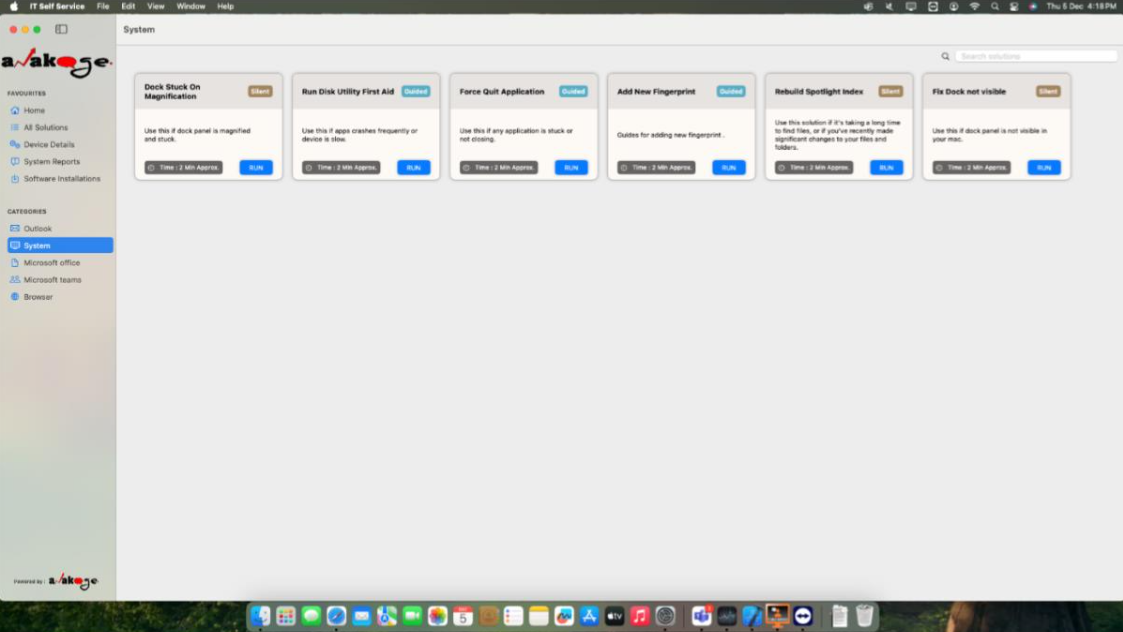
Troubleshooting
for Common Issues
Control and Visibility
Beyond Manual Troubleshooting. Built for Automation.
Resolve common macOS issues effortlessly with a self-service application that empowers users and provides admins with powerful tools for device management.
Self-Service Resolution for User Empowerment
Users can launch co-bots to troubleshoot problems like Wi-Fi, Outlook, VPN, and system performance, reducing the need for IT support tickets.
- Search-based interface for easy issue resolution
- Interactive co-bots for guided troubleshooting
- Offline capability for uninterrupted support
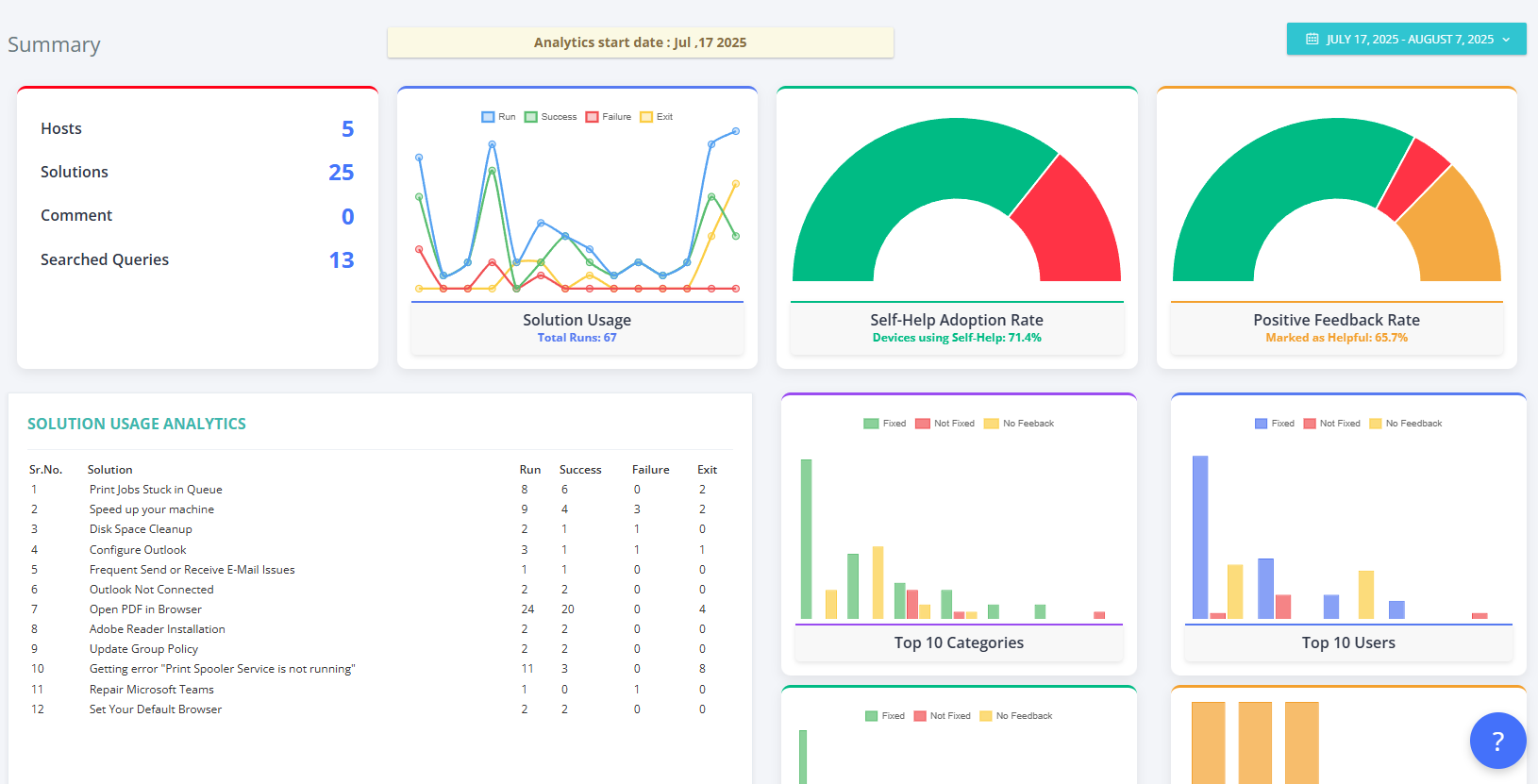
Admin Control and Visibility for Centralized Management
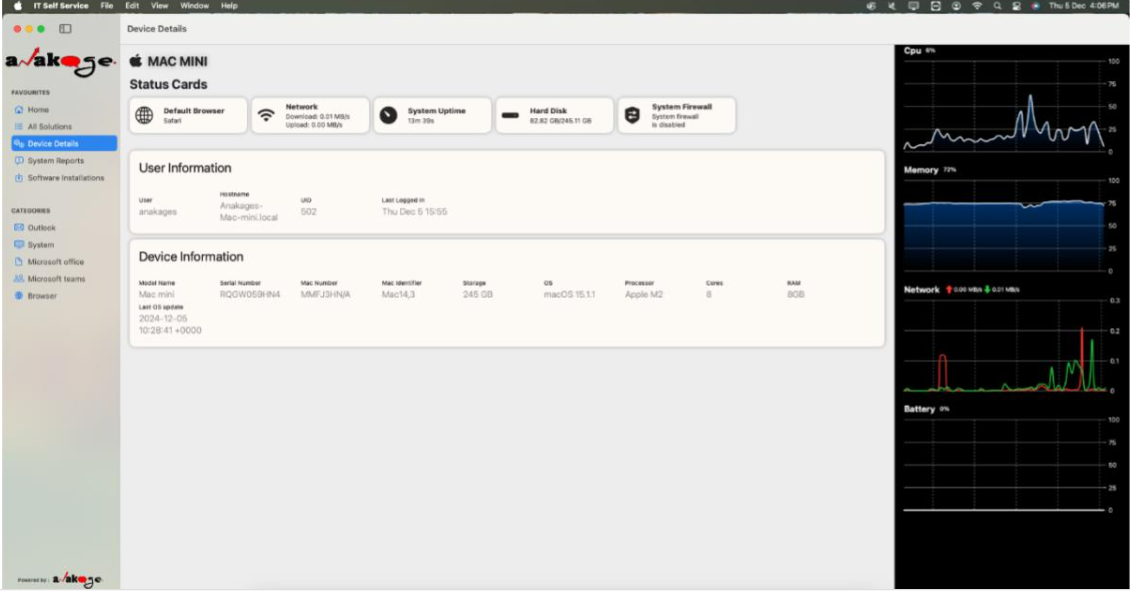
Admins gain real-time insights into device health and can remotely execute actions like resetting browsers or enabling firewalls.
- Real-time telemetry for disk usage, uptime, and network health
- Remote actions like rebuilding Spotlight index
- Centralized dashboards for software status
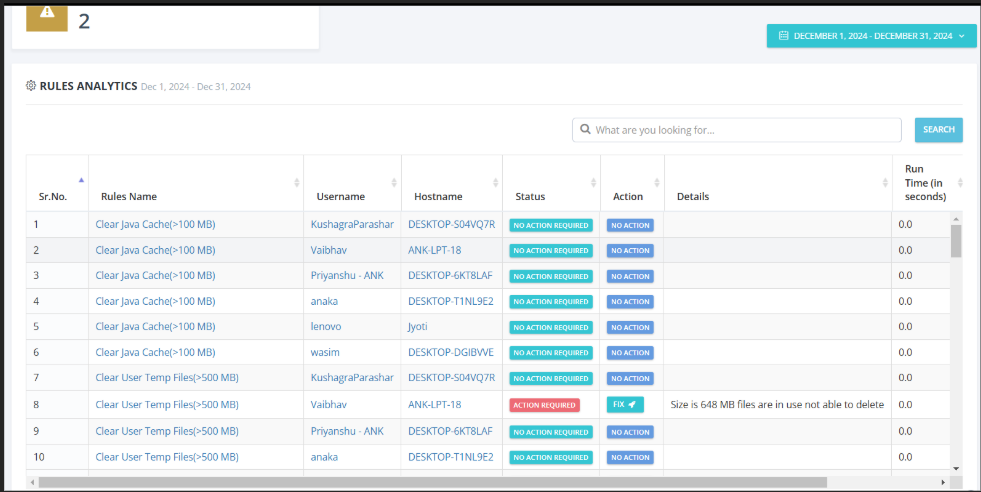
Self-Healing Workflows for Automated Fixes
Automatically detect and resolve common endpoint issues, such as Spotlight indexing problems or system misconfigurations, even offline.
- Silent detection and resolution of issues
- Continues to monitor and fix issues offline
- Preemptively identifies performance issues
Security and Compliance for Enterprise-Grade Protection
Built to enterprise-grade security standards with digitally signed solutions and no scripting required, ensuring data protection and compliance.
- Digitally signed solutions for security
- OWASP-compliant design
- No scripting required for safe operation
Solving macOS Troubleshooting's Biggest Challenges
Turning manual troubleshooting challenges into automated, user-friendly solutions
High IT Support Ticket Volume
Self-service co-bots empower users to resolve common issues independently, reducing service desk burden and improving first-call resolution.
Lack of Offline Support
MAC Agent works without internet connectivity, enabling users to troubleshoot issues such as Wi-Fi, VPN, or printer failures seamlessly.
Limited Endpoint Visibility
Real-time telemetry delivers proactive insights into device health, network performance, and compliance posture for IT operations.
Inconsistent Device Compliance
Automated policy enforcement and self-healing workflows ensure macOS endpoints remain secure and compliant with enterprise standards.
Poor Digital Employee Experience (DEX)
Automation-first troubleshooting reduces downtime, enhances employee productivity, and delivers seamless end-user experiences.
MAC Agent Components
Key components that work together to provide comprehensive macOS troubleshooting and management
Self-Service Experience
Empowers employees with guided workflows and automation to resolve issues like Wi-Fi, VPN, and Outlook—driving adoption and reducing IT tickets.
Unified Admin Console
Provides IT teams with a centralized view of macOS endpoints, enabling remote execution, device monitoring, and compliance enforcement.
Automation Co-bots
AI-powered co-bots deliver contextual troubleshooting and task automation, reducing mean time to resolution (MTTR).
Telemetry & Analytics
Collects real-time endpoint telemetry on performance, network, and system health, enabling predictive analytics and proactive IT interventions.
Self-Healing Automation
Automatically remediates misconfigurations and common endpoint failures, improving uptime and reducing IT service desk dependencies.
Security & Compliance
Ensures endpoint integrity with digitally signed automation, policy enforcement, and compliance with enterprise security standards.