Engage Users with Targeted Campaigns
Communicate, engage, and take actions on user endpoints through interactive or automated on-screen pop-ups. Drive real-time user engagement and action at scale with zero code.
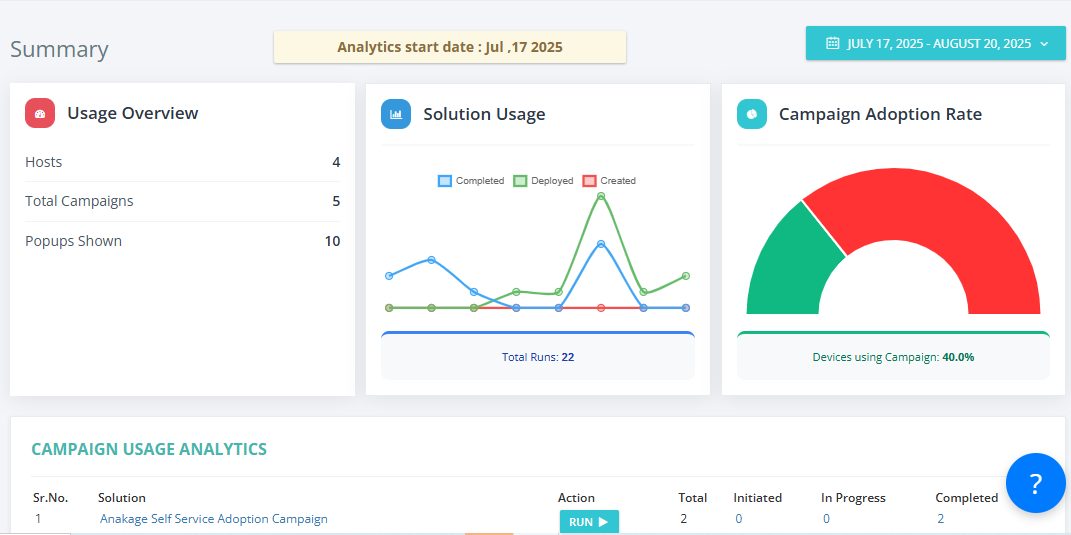
Pop-up Campaigns
User Engagement
Feedback Collection
Engage Users. Drive Action. All from One Platform.
Launch targeted campaigns, collect feedback, and automate actions across user endpoints with a unified, no-code platform.
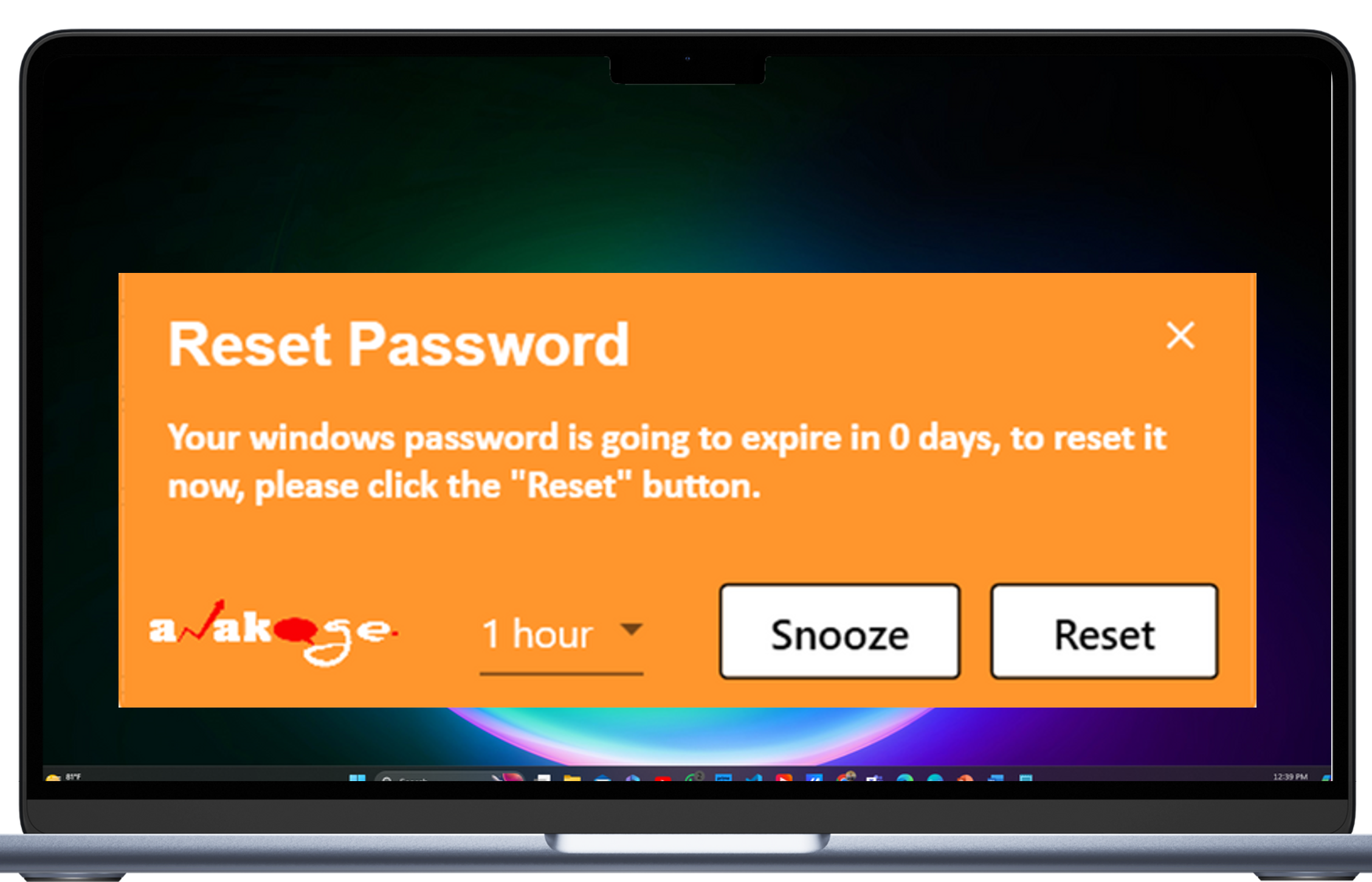
Targeted On-Screen Campaigns
Launch pop-ups to individual users or groups across the organization with custom HTML messages for announcements, policy changes, or user instructions.
- Unified pop-up engine for messaging, feedback, and scripting
- Show custom HTML messages without separate platforms
- Target campaigns by user, device type, OS, or department
Interactive User Engagement
Choose from three campaign types: HTML for rich messages, Feedback for user input, and Custom Script for automation.
- Collect feedback via quick surveys or forms
- Enable interactive messaging and acknowledgements
- Run scripts silently for configuration or remediation
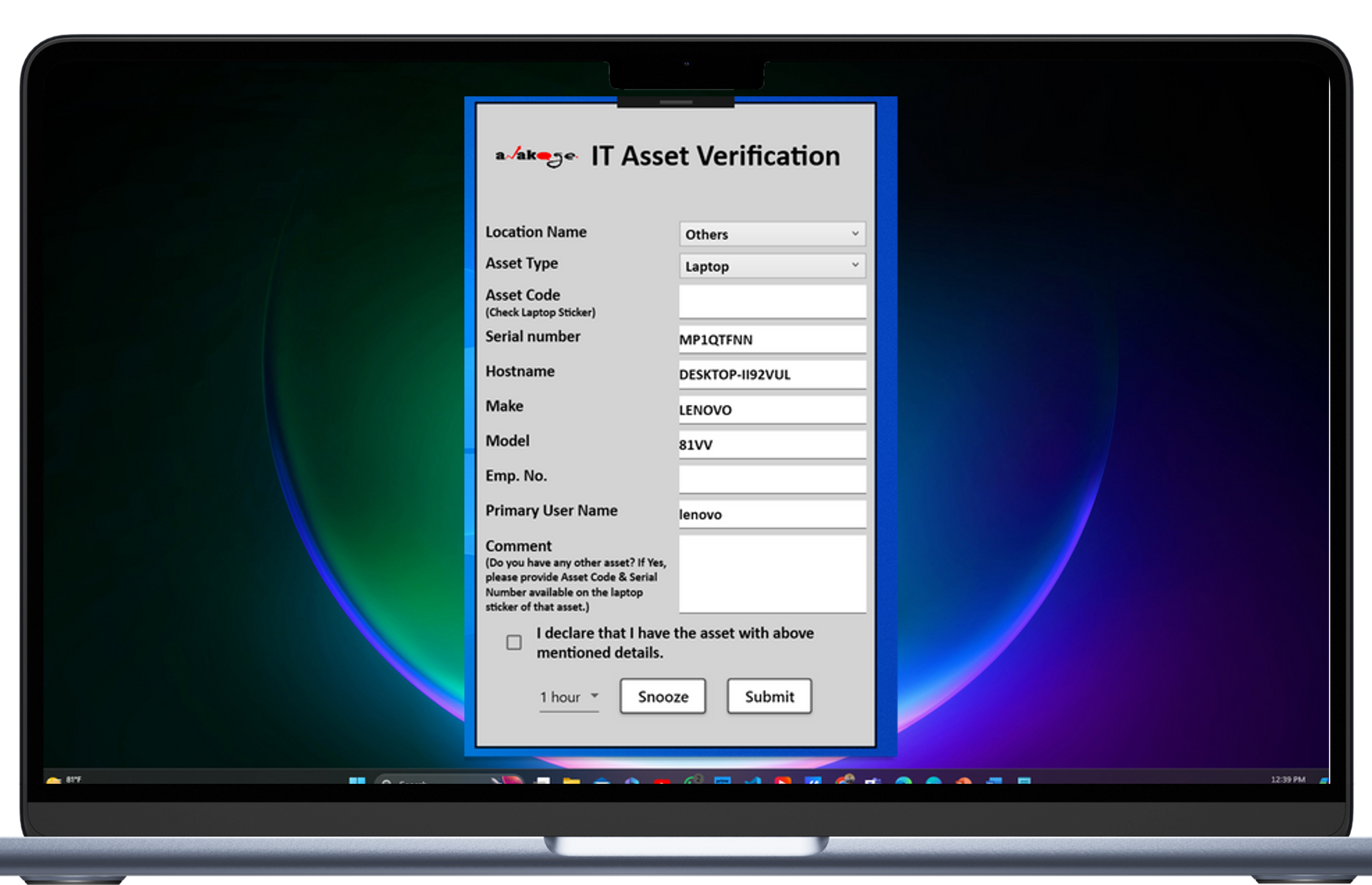
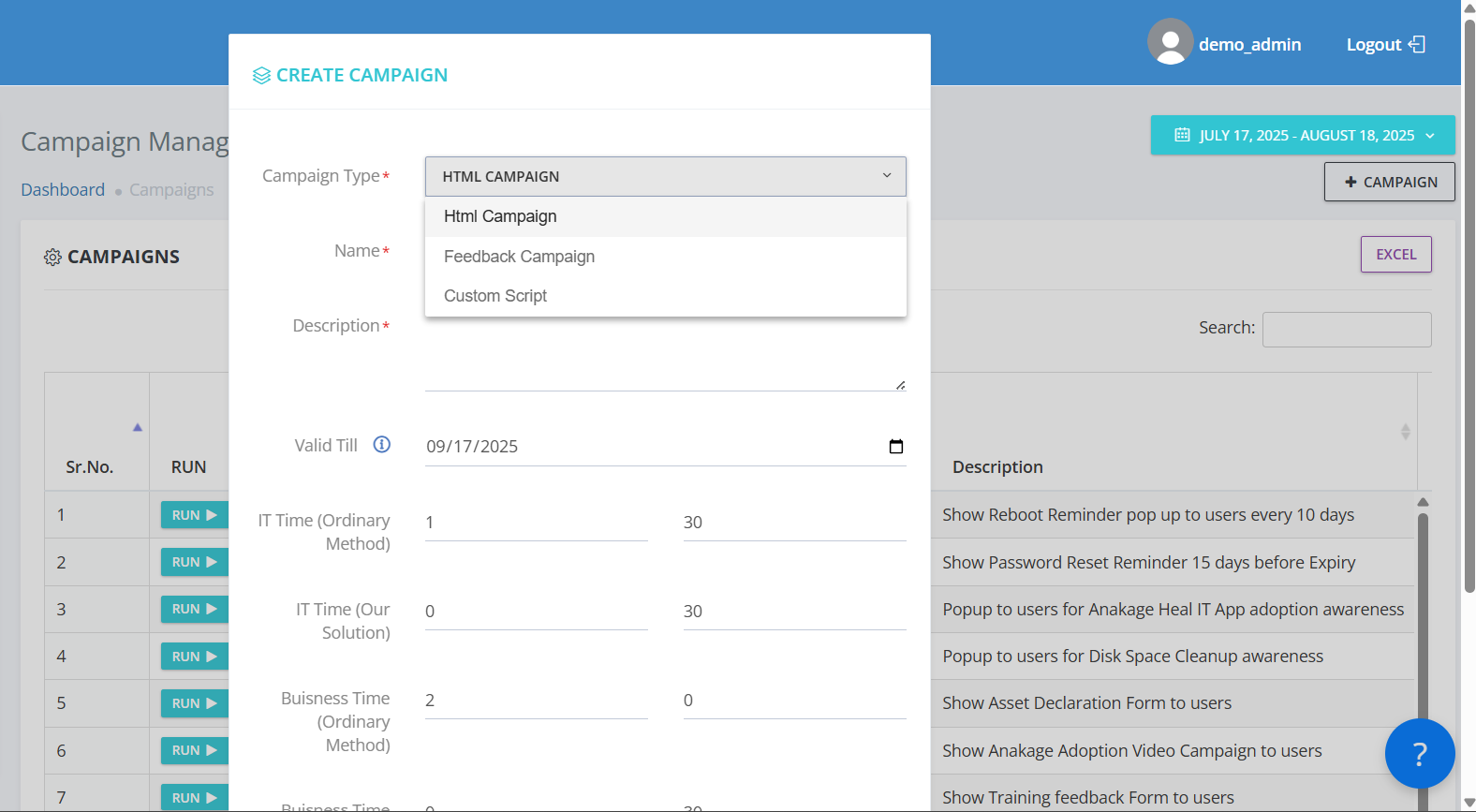
Automated Campaign Triggers
Schedule campaigns manually or trigger them dynamically based on real-time endpoint data and conditions.
- Automatically prompt users for password reset or AV renewal
- Trigger campaigns based on device health or behavior
- Remind users to take action when non-compliance is detected
Silent Script Execution
Run custom scripts on user devices without user intervention for seamless configuration, remediation, or updates.
- Update system settings or deploy fixes silently
- No-code setup with rich targeting and scheduling
- Deploy in minutes, not days, with zero user disruption
Solving User Engagement's Biggest Challenges
Turning Manual Communication and Engagement Challenges Into Automated, Interactive Solutions
Manual Communication Methods
Automated pop-up campaigns eliminate the need for emails or manual notifications, ensuring timely and direct user engagement.
Low User Engagement
Interactive campaigns with feedback and acknowledgements increase user participation and response rates.
Delayed User Actions
Real-time prompts and automated triggers ensure users take necessary actions promptly, improving compliance and security.
Complex Scripting Requirements
No-code custom script campaigns simplify automation, allowing non-technical users to deploy scripts easily.
Lack of Campaign Visibility
Real-time tracking provides insights into campaign delivery, user responses, and script execution results.
Campaign Orchestration Module
A unified, no-code engine for end-to-end user engagement—delivering targeted messages, capturing feedback, automating actions, and reporting insights in real time.
Unified Pop-Up Engine
Delivers rich HTML, feedback forms, or script-driven prompts directly to user endpoints—targeted by user segment, device, OS, or department.
Dynamic Trigger Engine
Schedule or trigger campaigns dynamically based on real-time endpoint conditions—e.g., device health, policy non-compliance, or behavior insights.
Interactive Engagement Console
Offer interactive feedback loops, quick surveys, or acknowledgments—ensuring two-way communication with users for higher engagement.
Silent Script Executor
Run remediation scripts in the background with no user disruption—ideal for configuration updates, system fixes, or compliance actions.
Real-Time Engagement Analytics
Monitor campaign delivery, user responses, and script results live—enabling transparency and fine-tuning of engagement strategies.
Behavioral Segmentation Studio
Smart targeting and personalization based on behavioral analysis, user profiles, and engagement patterns—driving highly relevant messaging.