Compliance Monitoring
Troubleshooting
Empowering Users with Self-Service Capabilities
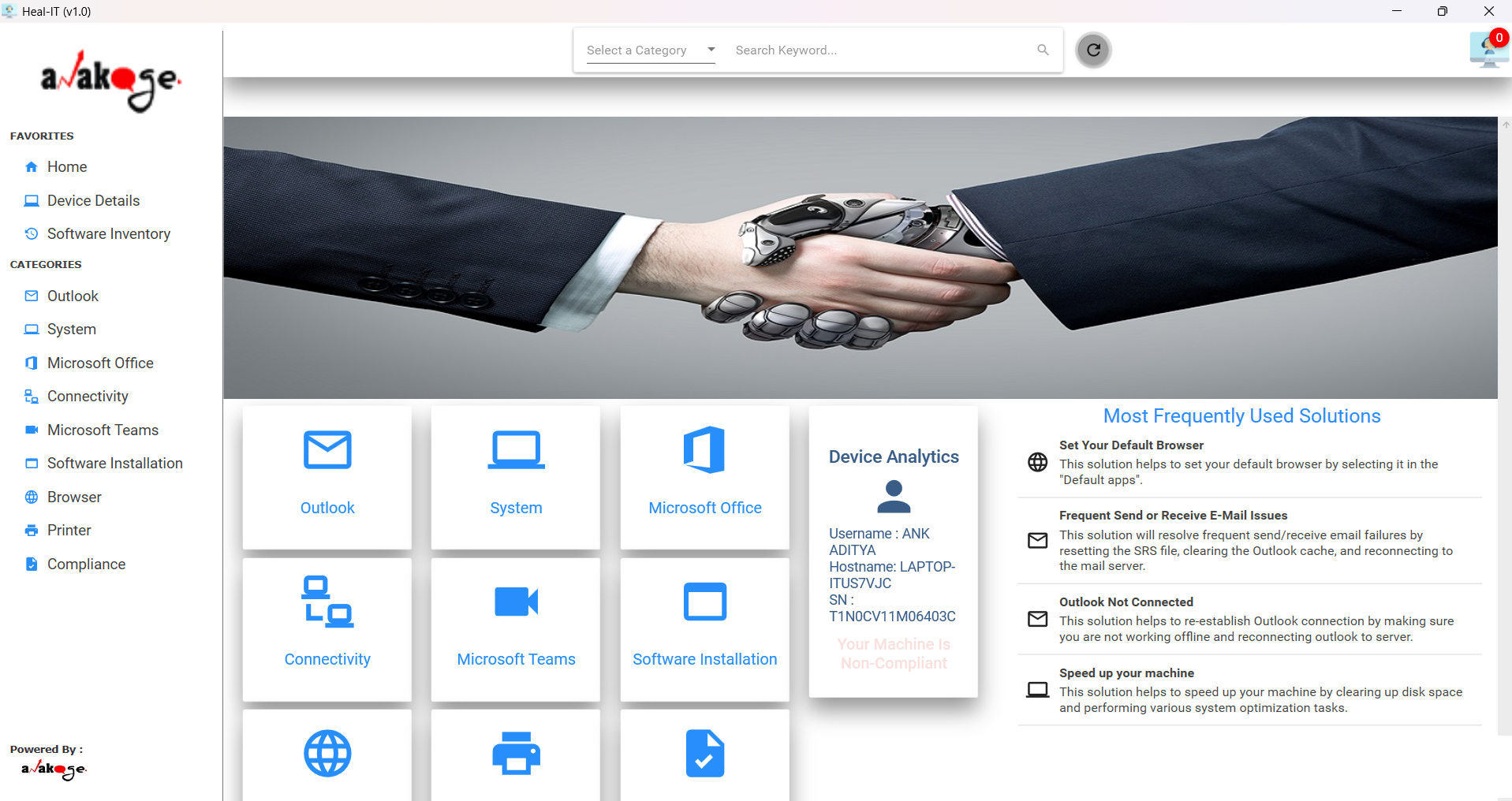
The Anakage Desktop App provides a centralized workspace for troubleshooting, software management, and compliance, all accessible directly from the user's desktop.
Self-Service Troubleshooting
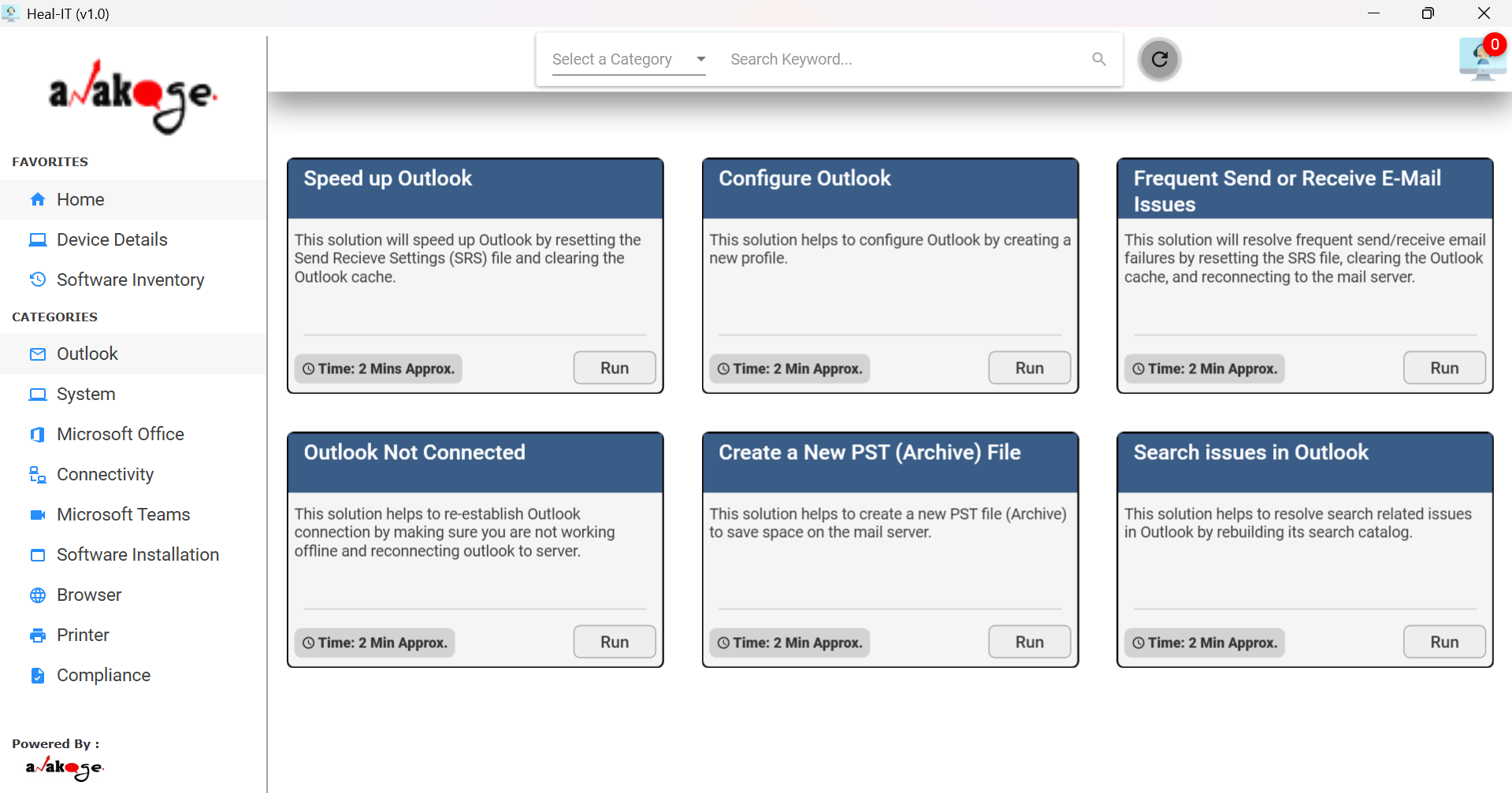
View categorized solutions for issues across Outlook, system performance, connectivity, Teams, Office apps, and more. End-users can resolve frequent issues like slow systems, Wi-Fi problems, or Outlook crashes via self-service.
- Resolve issues without IT support calls
- Access solutions for common applications and system issues
- Combines self-help, software access, and compliance in one app
Software Management
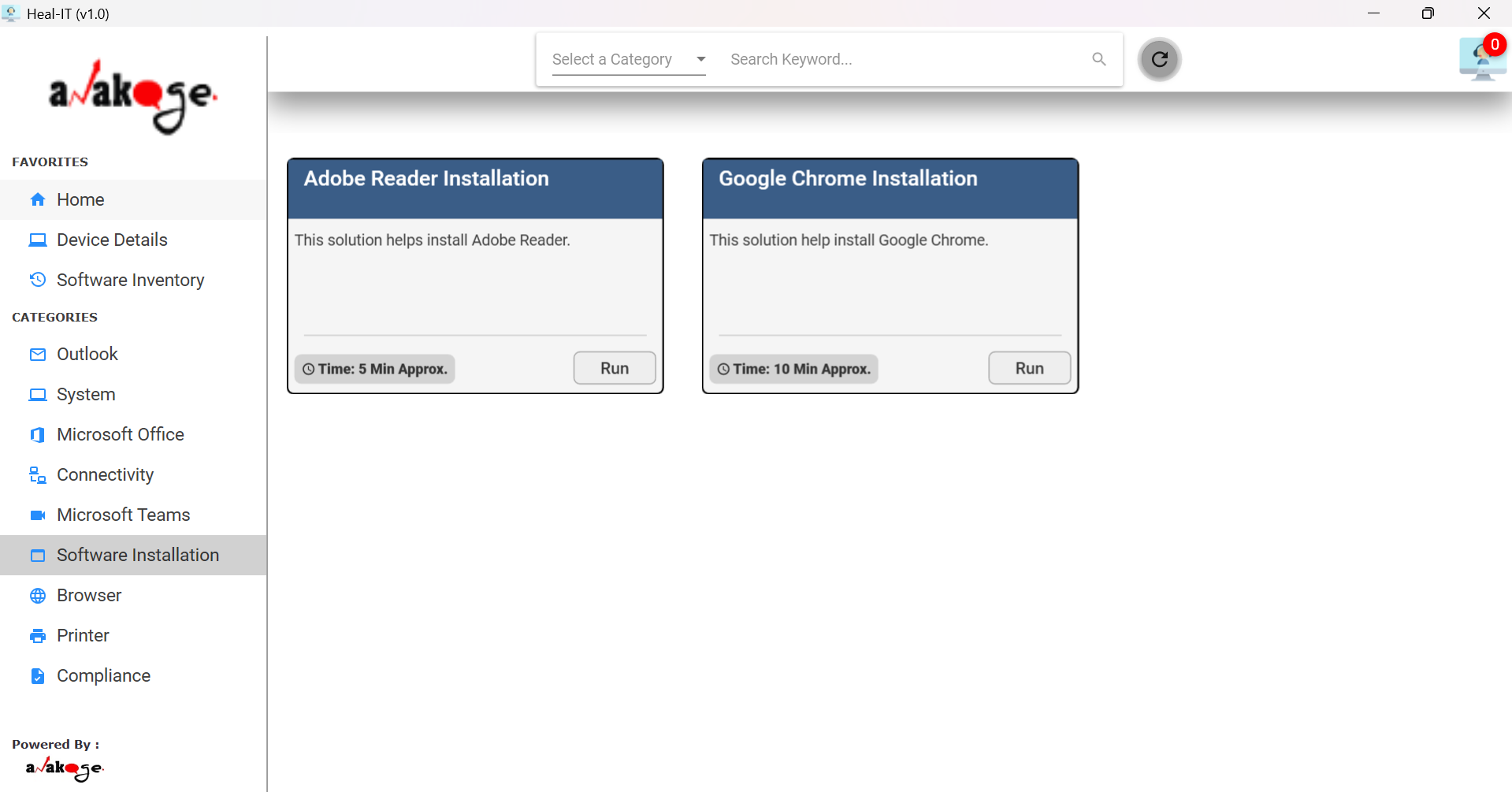
Download pre-approved software directly or raise requests for new software through a built-in inventory system. Employees can request installation of required tools not available in the pre-approved list.
- Streamlined software procurement
- In-app software request and fulfillment
- Direct remediation without external tools
Device Compliance and Health
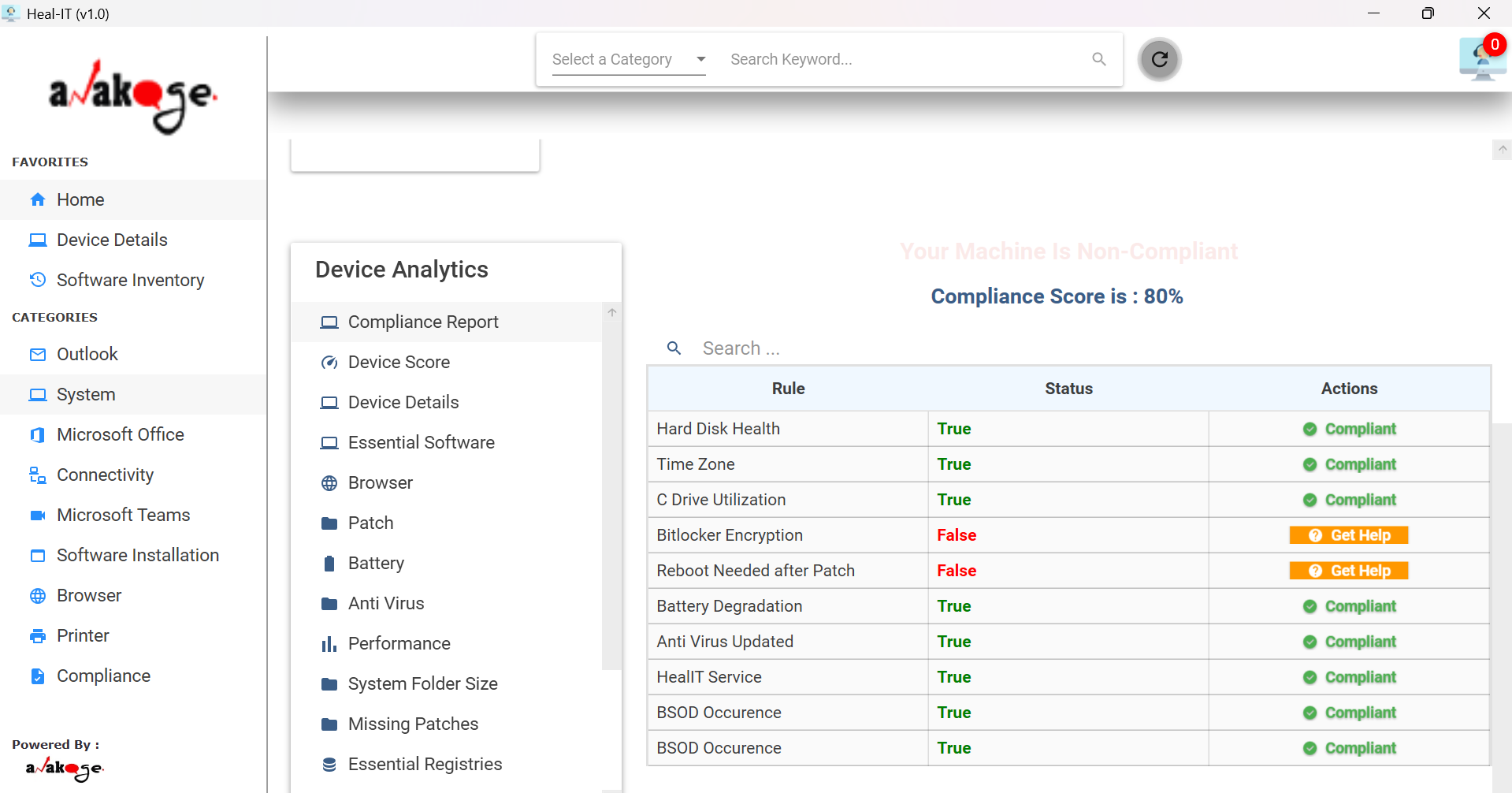
See detailed device information and overall compliance score at a glance. Remote workers can check device health and perform fixes without needing IT help. Live device analytics across system health, patch, AV, and battery are available without additional agents.
- Proactive compliance enforcement
- Real-time visibility into endpoint analytics
- Lightweight and intuitive for enterprise use
Solving IT Challenges with the Desktop App
Turning Manual IT Tasks Into Intelligent, Automated Solutions
Manual Software Deployment
Automated installation eliminates manual visits and accelerates deployment time from hours to minutes, improving IT agility.
Software Compliance Issues
Policy-based automation ensures only approved applications are installed while instantly removing unapproved software.
Slow IT Response Times
Self-service portals and automated actions reduce mean time to resolution (MTTR) and accelerate service delivery.
High End-User Downtime
Proactive monitoring and automated remediation prevent productivity loss, enhancing Digital Employee Experience (DEX).
Fragmented Endpoint Management
Consolidated automation ensures unified endpoint visibility, reducing IT silos and improving operational efficiency.
Powered by the Anakage Platform
The Anakage Desktop App integrates with our automation engines to deliver end-to-end software lifecycle management, aligning with Unified Endpoint Management (UEM) and Digital Employee Experience (DEX) frameworks.
Zero-Touch Deployment
Deploy applications remotely at scale across macOS and Windows endpoints without physical intervention—accelerating time-to-value.
Policy & Compliance Engine
Automatically enforce enterprise-approved software policies, remediate non-compliance, and remove unauthorized applications to ensure governance.
Self-Service Software Catalog
Provides employees with a curated catalog of approved applications via web and desktop portals, enhancing DEX and reducing IT support tickets.
Automated Patch Management
Ensures endpoints remain secure and up to date by automatically deploying OS and application patches across distributed environments.
Analytics & Insights
Provides actionable intelligence on deployment success rates, compliance levels, and adoption trends to enable data-driven IT decisions.
Integration Hub
Seamlessly integrates with ITSM, UEM, and security tools to extend automation capabilities across the enterprise IT ecosystem.